 Home
PDF2Image ScreenShots
Articles
Products
Downloads
Home
PDF2Image ScreenShots
Articles
Products
Downloads
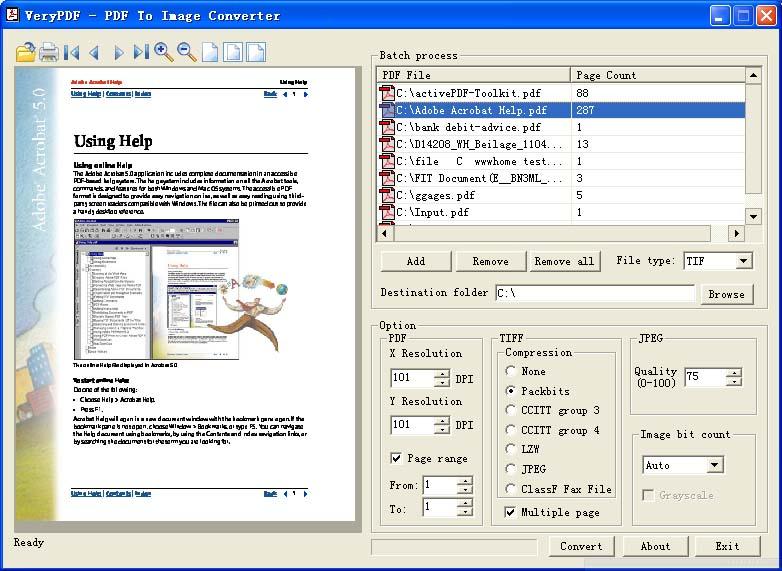 |
Acrobat to Pic Converter Acrobat to Pic - Convert Acrobat files to Pic files (acrobat2pic,acrobattopic) |
Acrobat to Pic Converter is definitely an application for Windows platform, it
can convert Acrobat files to TIF, TIFF, JPG, GIF, PNG, Pic, EMF, PCX, TGA, etc.
pic formats, it can export all pages or a selection of pages from PDF file to
pic formats.
Acrobat to Pic product has following functions:
Acrobat to Pic is able convert Acrobat files to BMP, JPEG, JPG, GIF, PNG, WMF,
EMF, EPS, TIFF, etc. formats.
Acrobat to Pic is support owner password protected PDF files.
You can use convert Acrobat PDF files to PDF files at high quality, up to 2400
DPI.
Acrobat to Pic is actually a standalone computer software, Adobe Acrobat and
Reader are NOT needed!
Acrobat to Pic is support batch conversion.
Able to produce multipage TIFF files.
Able to create PIC files at 1, 4, 8, 24 bits color depth.
Acrobat to Pic might be launched from command line, from batch file or one more
applications.
Acrobat to Pic supports all version of Acrobat PDF files.
Able to convert PDF files to Fax compatible TIFF files;
Acrobat to Pic supports PDF preview, so you'll be able to preview a PDF file
before conversion.
Support page range option, so you can convert any pages from PDF file to image
files effortlessly.
You can batch convert lots of Acrobat PDF files to PIC formats at one time,

Home |
Products |
Downloads |
Support |
Links | Contact
Copyright © 2000- VeryPDF.com, Inc. All rights reserved.
Send comments about this site to the webmaster.